Retro Typewriter Keyboard with Tablet Stand Review: Vintage Looks, Modern Keys
Retro typewriter keyboard with tablet stand review: round keys, wood finish, Bluetooth. Does it type well or just look good on the desk?
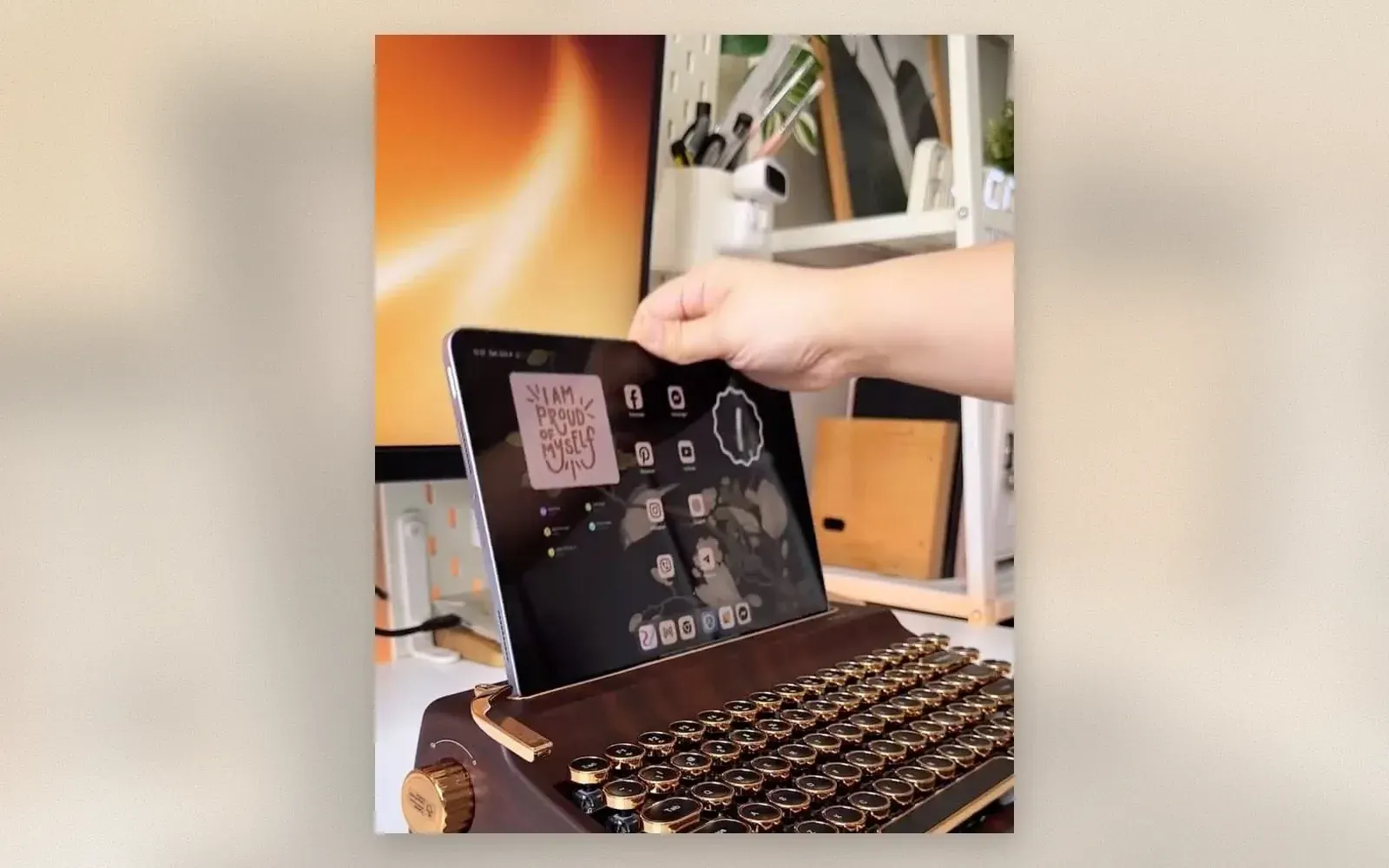
The retro typewriter keyboard with tablet stand is a Bluetooth mechanical keyboard that looks like a 1940s Royal and works like a modern peripheral. Round keycaps sit on metal rings, the body has a wood-grain finish, and a slot in the back holds a tablet at a comfortable typing angle. It pairs with tablets, phones, laptops, and desktops.
We used one for two weeks to find out whether the vintage look comes with modern typing compromises, or whether this is a desk piece that actually works.
🏷 Best price for Retro Typewriter Keyboard with Tablet Stand Buy on Amazon → · Check Etsy →
What does a retro typewriter keyboard with tablet stand look like?
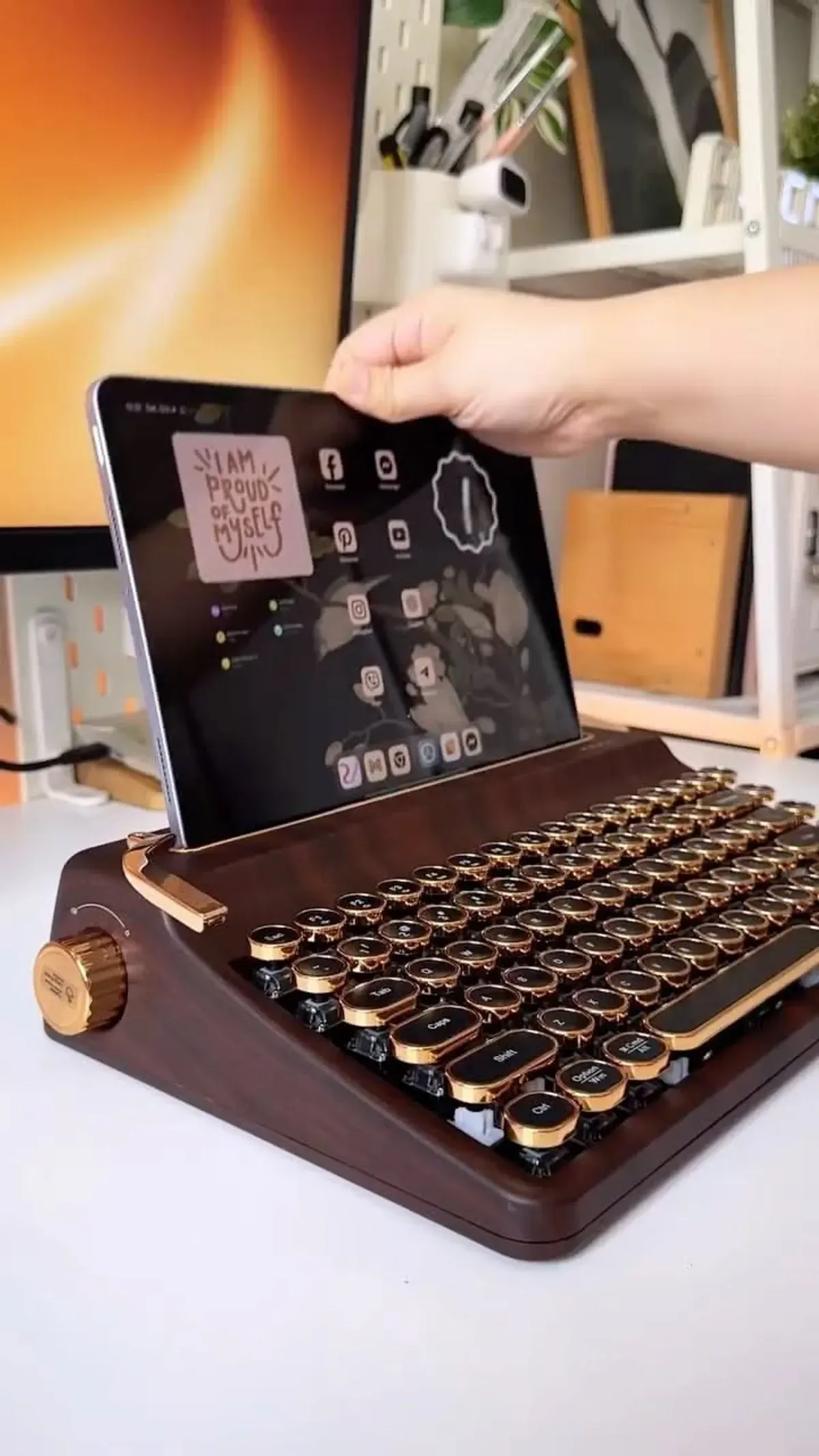
The body is dark walnut wood-grain with gold-toned metal trim around the key wells and along the edges. The round keycaps have brass-colored rings, and there is a decorative carriage-return lever on the left side. A rotary knob on the left edge handles volume or power depending on the mode.
The tablet slot runs across the back of the keyboard. It holds a tablet at roughly 30 degrees, which is enough for comfortable reading and light typing but a bit steep for extended work sessions. An iPad fits securely; smaller tablets and phones can rest there too, though a phone tends to wobble.
Build quality is solid for the price. The body does not flex, the keycaps do not wobble, and the stand holds a tablet without tipping. The weight sits around 700 grams, which is heavy enough to stay planted but not painful to carry in a bag.
How does it type?
The switches are blue mechanicals, which means tactile feedback and an audible click with every press. If you are coming from a laptop keyboard, this feels different: more travel, more noise, more resistance. For typing emails and short documents, the rhythm grows on you quickly.
The round keycaps are wider than standard square ones, which takes a day or two of adjustment. Space and Enter are easy to find. The narrower keys like punctuation and function rows need more attention at first. After a week, the layout becomes natural.
The Bluetooth connection pairs with up to three devices simultaneously. Switching between a tablet, a laptop, and a phone is handled by a button on the back. The connection stayed stable at two meters with no noticeable lag for typing.
Is the tablet stand practical?
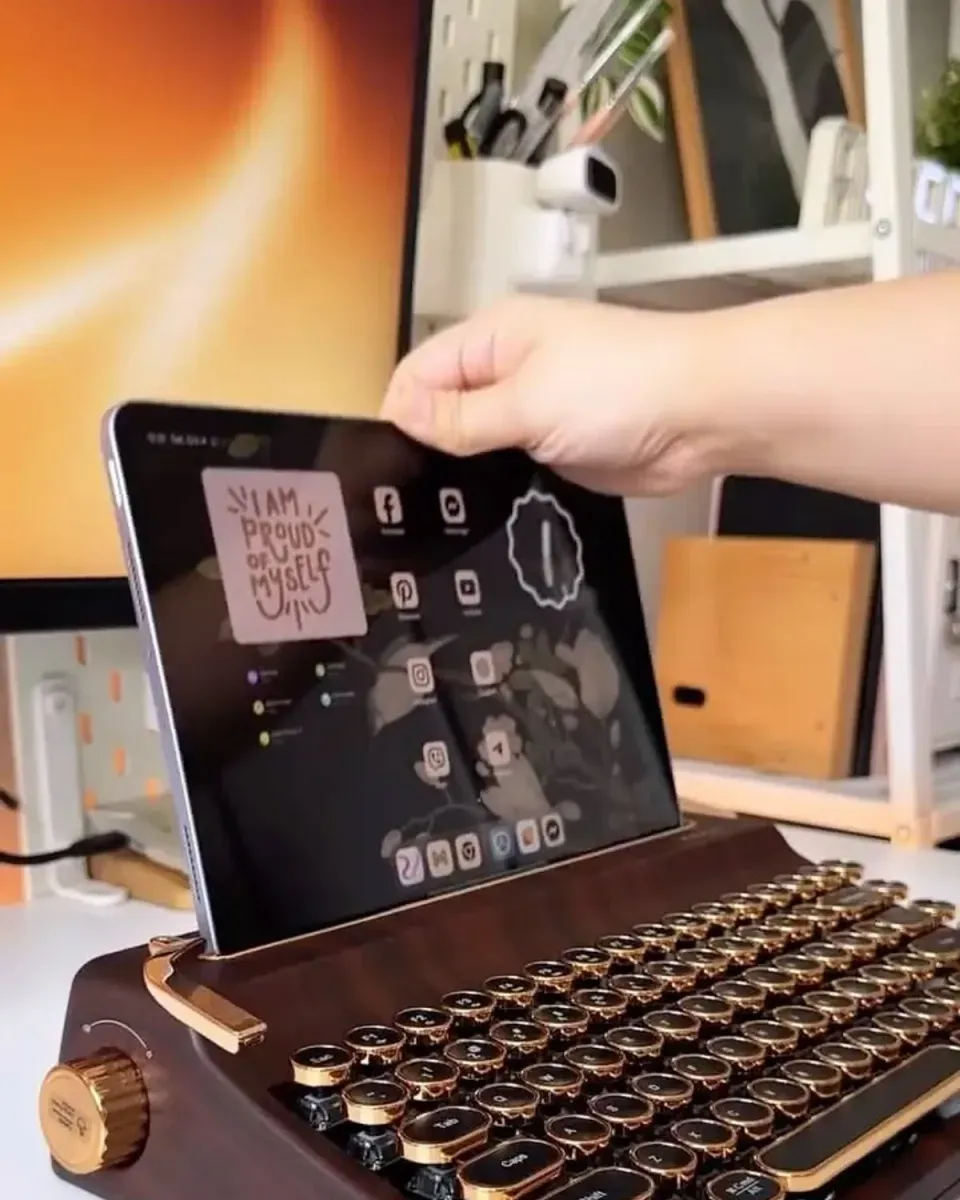
The integrated stand saves you from buying a separate tablet holder. For video calls, recipe display, or reference notes, it works well. The angle is fixed, so you cannot tilt it for glare, which is the main limitation.
Typing on the docked tablet is fine for short replies and chat messages. For longer work, an external monitor or laptop gives a better experience. The stand is best thought of as a display slot, not a full workstation setup.

🏷 Compare prices for Retro Typewriter Keyboard with Tablet Stand Find the best deal →
Who should buy this keyboard?
🏷 Get the best price on Retro Typewriter Keyboard with Tablet Stand Buy at the best price →
For home offices, creative studios, and anyone who wants their desk to look like a period film set, this hits the mark. Writers who enjoy the tactile feedback of a mechanical switch will appreciate the clicky feel.
For quiet offices, shared spaces, or late-night typing, the blue switches are too loud. A quieter red-switch variant exists from some manufacturers, but this particular model comes in the clicky version only.
Verdict
The retro typewriter keyboard with tablet stand is a desk accessory that doubles as a real keyboard. The Bluetooth pairing works across devices, the tablet stand is convenient for secondary screens, and the wood finish looks better than the price suggests. The noise level and round keycap learning curve are the trade-offs.
✅ Pros:
- Distinctive wood-grain and brass design that holds attention
- Stable Bluetooth pairing across three devices
- Integrated tablet stand eliminates a separate accessory
❌ Cons:
- Blue mechanical switches are loud for shared spaces
- Fixed tablet stand angle cannot be adjusted
- Round keycaps need a few days of adaptation

Continue reading

Dell XPS 15: Premium Windows Laptop for Work
Dell XPS 15 review: Intel Core Ultra 9 processor, OLED display, premium design, and a full set of ports.

MacBook Air M4: thin, quiet, and incredibly long-lasting
Review of the updated MacBook Air: new M4 chip, 18 hours of battery life, and the perfect keyboard for work.

Angel Devil AirPods Clips — The Good and Evil on Your Earbuds
Angel devil AirPods clips review: tiny silicone figurines that attach to AirPods cable — angel on right, devil on left. Cute, functional cable management.