Bedside Charging Niche: The Built-In Wall Outlet Setup That Hides Every Cable
The bedside charging niche puts outlets, USB-C and USB-A ports inside a recessed panel in your headboard. No desk clutter, no cables on the floor.
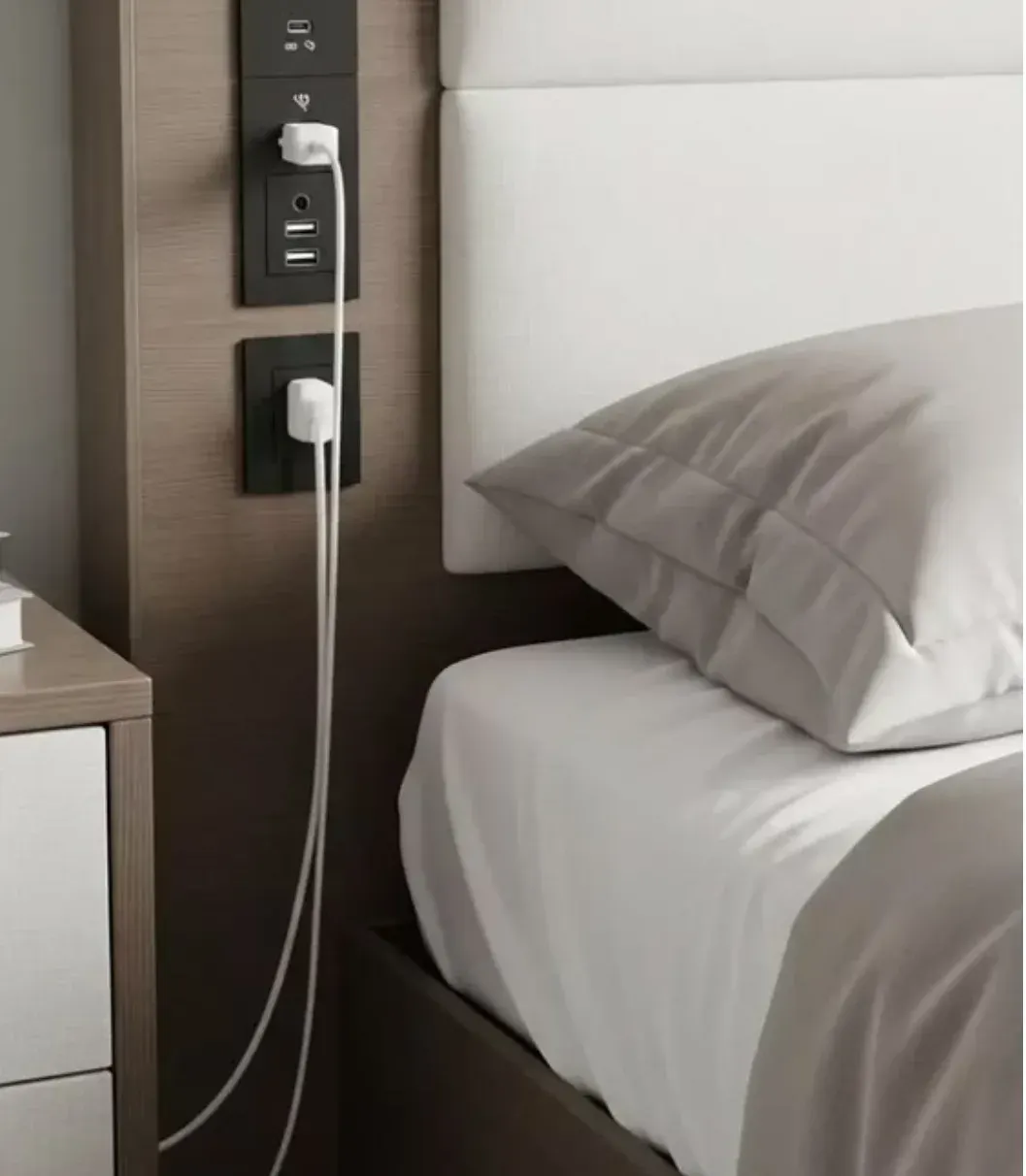
Every hotel room has the same trick. A little black panel sits flush in the headboard: two sockets in the top half, a USB-C and a USB-A port beneath them, and a second outlet further down. You dock your phone for the night, the cable hangs straight down, and the nightstand stays empty. That whole setup is what people now call a bedside charging niche, and it is moving from hotel rooms into regular bedrooms.
The version you see pinned all over Pinterest, a matte black panel in a light oak niche, is exactly that: a recessed charging station with two power sockets, a USB-C PD module and, below it, a second hidden power outlet fed through the shaft. Cable management happens inside the wall pocket. Nothing sits on the bed linens.
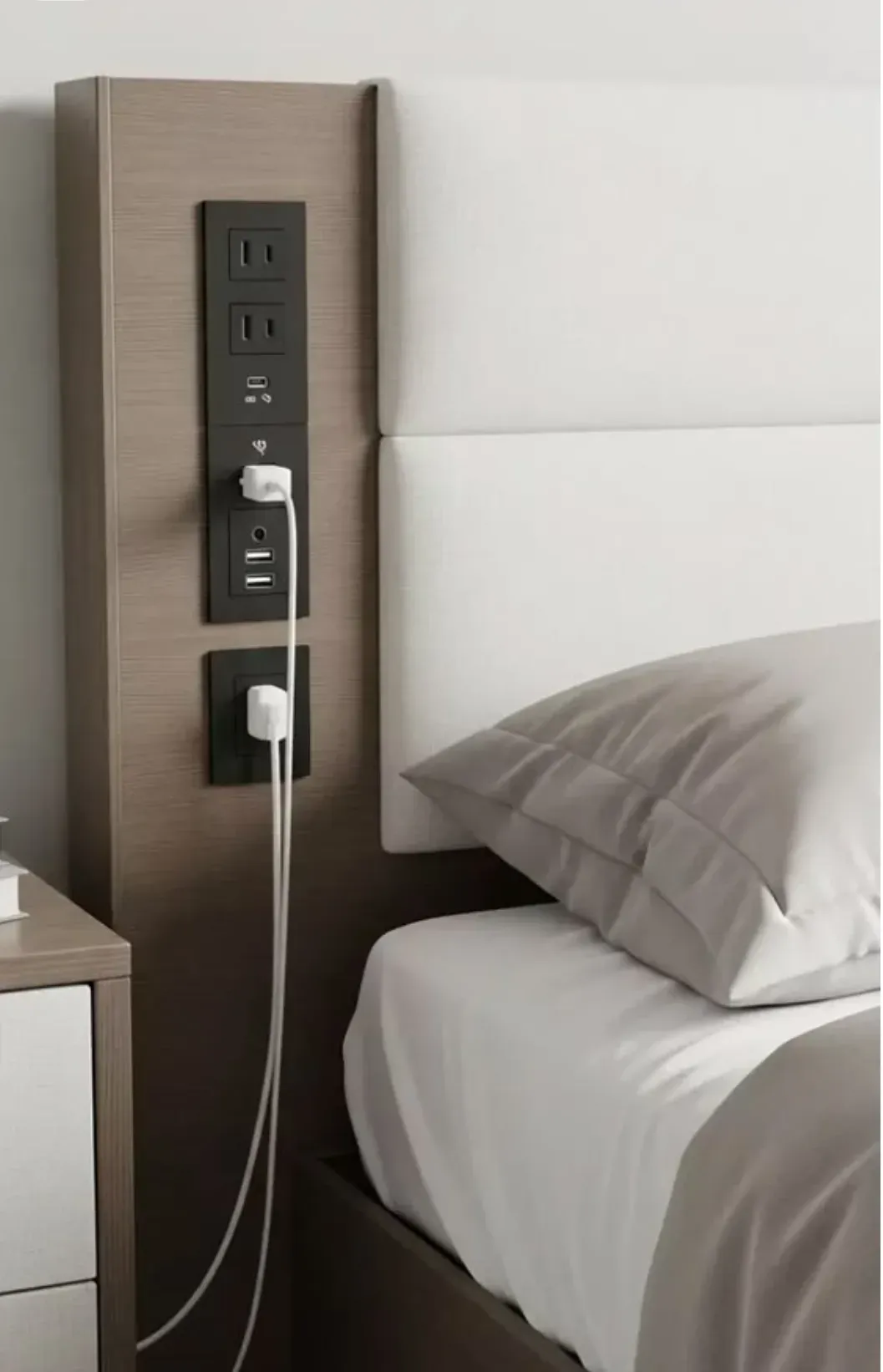
What actually goes into a bedside charging niche?
A working niche needs three separate pieces. First a frame, an aluminum profile set into the wall, roughly 24 cm tall and 11 cm wide, that creates the pocket the panel sits in. Second the charging center itself: the power outlet at the top, the USB module in the middle and, at the bottom, a second concealed socket with a 13 A/3,250 W rating like the one Amazon’s listing specs quote. Third the feed cables, which run from the wall socket up through the wall to the back of the modules.
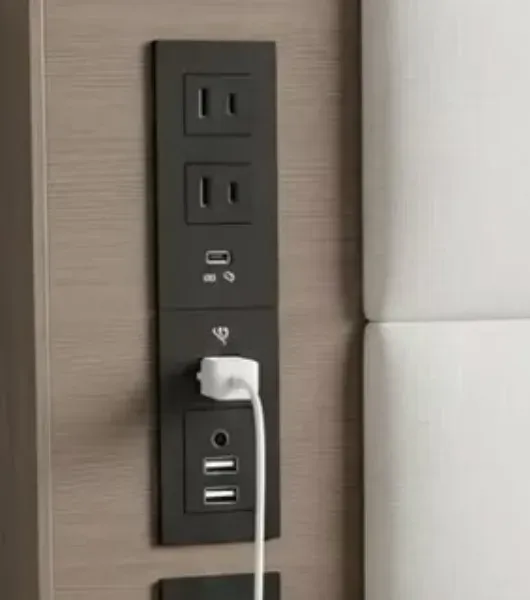
The public curiosity version of this build uses an outlet rated at 15 amps, a USB module running at 20 W, and a second outlet rated at 13 A/3,250 W. That combination charges a laptop, a phone and a tablet at the same time without waking the breaker. The wall pocket takes the depth: modules run about 4 to 5 cm deep, so plan roughly 6.5 to 7.5 cm total including the connectors behind them.
If you would rather not cut anything, there is a middle path. The BQO module above or Inno’s recessed desk socket with a 15 W wireless charger [$32.99 as of October 2026] mount into a worktop or shelf with two screws and plug straight into the wall. Same flush look, no wiring work.
How do you install one in a normal wall?
Steps in short form. Choose a spot next to where your head sits, usually 90 to 110 cm above the floor. Trace the frame outline, drill the corner holes, and cut the recess with an oscillating saw. Feed the feed line up through the drilled holes from the wall socket, connect, screw the frame into the niche with anchor plugs, insert the modules, done.
The wall type decides the method. In a drywall stud frame, the panel sits in a pre-cut opening between two studs, no chase needed. On a block or brick wall, the practical route is a shallow chase or a surface-mounted frame. Triple-check placement before cutting, once the niche is cut there is no undo: fixing it means plaster, sanding and repainting.
Where does the power come from in this setup? In most cases from the same furniture-style feeds as hotel rooms: the recessed outlet module runs on its own feed from the wall socket behind the bed. A furniture USB power box such as the kalb unit, which mounts under the shelf, takes care of the USB side. It turns any shelf into a charging point and plugs into the mains itself.
Is the bedside charging niche practical for a normal bedroom?
For most setups, yes, with two caveats. The obvious win is cable chaos: no power strip behind the bed, no phone charger on the pillow, no laptop brick on the floor, and everything charges out of sight. When you move house, the niche stays with the apartment, which is why many renters skip DIY wiring and use clamp-on or plug-in modules instead.
The limits matter too. First, USB wattage: standard furniture modules push 15 to 20 W, fine for phones and tablets, slow for laptops. Modules with 65 W PD like the BQO strip fix that. Second, depth. If your wall is a single brick course, the pocket will be too shallow and the modules will stick out past the plaster, which defeats the point. And then there is price: a premium module with a matching premium frame runs to 150 euros and more before installation.
Who is this build actually worth it for?
Guest room owners: hotel-style charging is the detail that guests mention in reviews, and it costs less than a new headboard. People building a new bedroom wall: cutting the recess happens while the wall is open anyway, so the niche costs almost nothing extra. Craft-friendly renters and dorm dwellers go the other way and pick plug-in modules that leave no trace.
Verdict
A bedside charging niche is the cleanest way to get hotel-style charging into a bedroom. With a 65 W USB-C module, plus the second outlet below, it charges a laptop, tablet and phone at the same time and the whole assembly disappears into the wall.
If your wall can take the depth and you own the place, it is one of the most satisfying bedroom upgrades around. If you rent or your wall is too shallow, use the plug-in modules instead. You give up a few centimeters of flush look and keep everything reversible.
Pros:
- All charging hidden inside the wall, no power strip on the nightstand
- 65 W USB-C modules charge laptops at full speed
- Works in headboards, on shelves and on desk tops alike
- Optional wireless charging modules available
Cons:
- Needs about 7 cm wall depth for a true flush fit
- Hardwired versions need an electrician in most countries
- Full premium builds reach 150 euros before install
- Cut wrong and there is no undo, plan the position twice
FAQ
What is a bedside charging niche?
A bedside charging niche is a recessed panel built flush into the wall or headboard. It holds the power socket, USB-C and USB-A charging ports and in many setups a second concealed outlet, so all charging happens inside a shallow black tray instead of on a power strip on the nightstand.
How deep must the wall be for a recessed charging niche?
Plan for at least 65 to 75 mm of depth, roughly 2.6 to 3 inches. The modules themselves are 40 to 50 mm deep but the connecting cables and connectors behind them need extra room, and a solid single brick course is usually too shallow.
Can I build one without an electrician?
The USB module version yes. Units such as the BQO recessed strip just clamp and screw into a 19 x 6.2 cm cut-out and plug into a socket, no wiring needed. Hardwired frames that sit directly on the 230 V line should be installed by an electrician.
Where do the included USB ports come from?
In most furniture installations the USB module comes from a furniture USB power supply such as the kalb furniture USB power box, which mounts under the tabletop or inside the frame and is powered by its own plug.
How much does one cost?
Ready-made recessed modules run from about 11 to 40 euros on Amazon.de depending on output power and number of sockets. A premium supplier module with matching frame costs more.

Continue reading

Moon Body Pillow Review: The Big Spoon Pillow for Side Sleepers
The viral moon body pillow from TikTok promises a full-body hug. Here is what it actually does for side sleepers, and which Amazon version is worth the money.
Dark Home Office Setup: The Moody Workspace Done Right
Dark home office setup guide: live-edge wood desk on black drawer units, dual monitors, ergonomic mesh chair, studio speakers, and warm lighting against charcoal walls. How to build the moody setup without a cave.
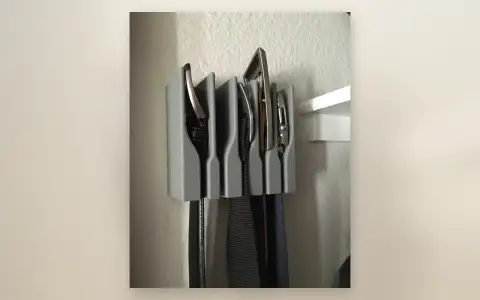
Wall-Mount Belt Hanger Organizer: 5-Slot Closet Upgrade That Actually Works
Wall-mount belt hanger organizer review: a compact grey bracket with 5 slots that mounts to any wall or closet door. Belts stay visible, accessible, and wrinkle-free.