5 Desk Setups That Actually Work for Remote Work
Practical desk organization ideas that boost productivity without breaking the bank.

A good remote work setup starts with three things: a solid desk, a comfortable chair, and proper lighting. That’s it. Everything else is optional. Before you spend hundreds on accessories, get these fundamentals right.
🏷 Best desk setup essentials Check FlexiSpot standing desks → · See Herman Miller chairs →
What do you need for a good desk setup?
Keep your surface clear. Clutter creates mental noise. Aim for only the essentials within arm’s reach: your keyboard, mouse, a notebook if you use one, and maybe a small plant. Everything else lives in drawers or on shelves.

The biggest mistake people make is buying everything at once. Start with the desk and chair, use the setup for a week, then identify what’s actually missing. You’ll be surprised how little you need.
What desk and chair should you buy for remote work?
For desks, a simple standing desk converter is the best entry point. You don’t need a full electric sit-stand desk to start alternating between sitting and standing. Models from FlexiSpot or Vari start around two hundred dollars and work on top of your existing desk.
For chairs, the Herman Miller Aeron is the gold standard, but the budget-friendly options from Autonomous or Branch are genuinely good. Spend a few hundred, not a thousand. Your lower back will thank you.
🏷 Compare desk setup accessories Find the best deals →
What accessories transform a desk setup?
Add a monitor arm to free up desk space and get your screen to eye level. A desk lamp with adjustable color temperature helps reduce eye strain during late sessions. Cable management trays keep everything underneath tidy.

None of these items are expensive, but together they transform a messy corner into a proper workspace. The monitor arm alone makes the biggest visual difference, it lifts the screen and frees the space below.
Verdict
✅ Pros:
- Transforms productivity in the first week
- Most items are affordable
- Works in any space
- Start simple, expand as needed
❌ Cons:
- Standing desk converters add cost
- Quality chairs aren’t cheap
- Cable management takes time to set up right
🏷 Get the best price on desk setup gear Shop all recommendations →
🇩🇪 This article is also available in Deutsch:
Read in Deutsch →
FAQ
What are the three essentials for a good desk setup?
A solid desk, a comfortable chair, and proper lighting. Everything else is optional. Start with these fundamentals before spending money on accessories.
How much should I spend on a desk and chair for remote work?
A standing desk converter starts around 200 dollars from brands like FlexiSpot or Vari. For chairs, budget-friendly options from Autonomous or Branch cost a few hundred. You do not need to spend a thousand on a Herman Miller Aeron to get started.
What accessories make the biggest difference?
A monitor arm makes the biggest visual difference by lifting the screen to eye level and freeing desk space. A desk lamp with adjustable color temperature reduces eye strain, and cable management trays keep the area tidy.
Should I buy a standing desk or a desk converter?
Start with a standing desk converter that sits on top of your existing desk. It is the cheapest entry point to alternating between sitting and standing. Upgrade to a full electric sit-stand desk once you know you use the standing mode regularly.
How do I keep my desk clutter-free?
Keep only essentials within arm's reach: keyboard, mouse, notebook, and maybe a small plant. Everything else lives in drawers or on shelves. Start with the desk and chair, use the setup for a week, then identify what is actually missing.

Continue reading

Moon Body Pillow Review: The Big Spoon Pillow for Side Sleepers
The viral moon body pillow from TikTok promises a full-body hug. Here is what it actually does for side sleepers, and which Amazon version is worth the money.
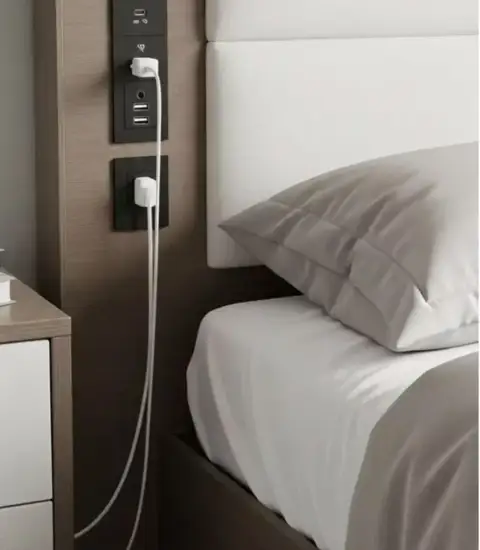
Bedside Charging Niche: The Built-In Wall Outlet Setup That Hides Every Cable
The bedside charging niche puts outlets, USB-C and USB-A ports inside a recessed panel in your headboard. No desk clutter, no cables on the floor.
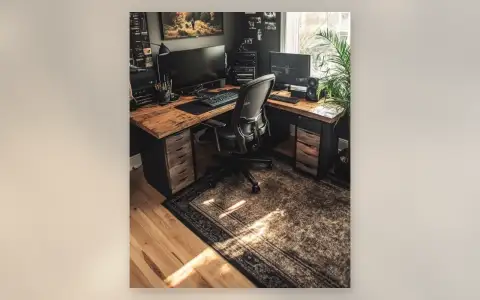
Dark Home Office Setup: The Moody Workspace Done Right
Dark home office setup guide: live-edge wood desk on black drawer units, dual monitors, ergonomic mesh chair, studio speakers, and warm lighting against charcoal walls. How to build the moody setup without a cave.