10 Camera and Drone View Commands That Change How Your Photos Look
Droneview, topdown, birdseye, lowangle: what the ten view commands from the viral cheat sheet mean, and how to shoot them with AI prompts or a real drone.
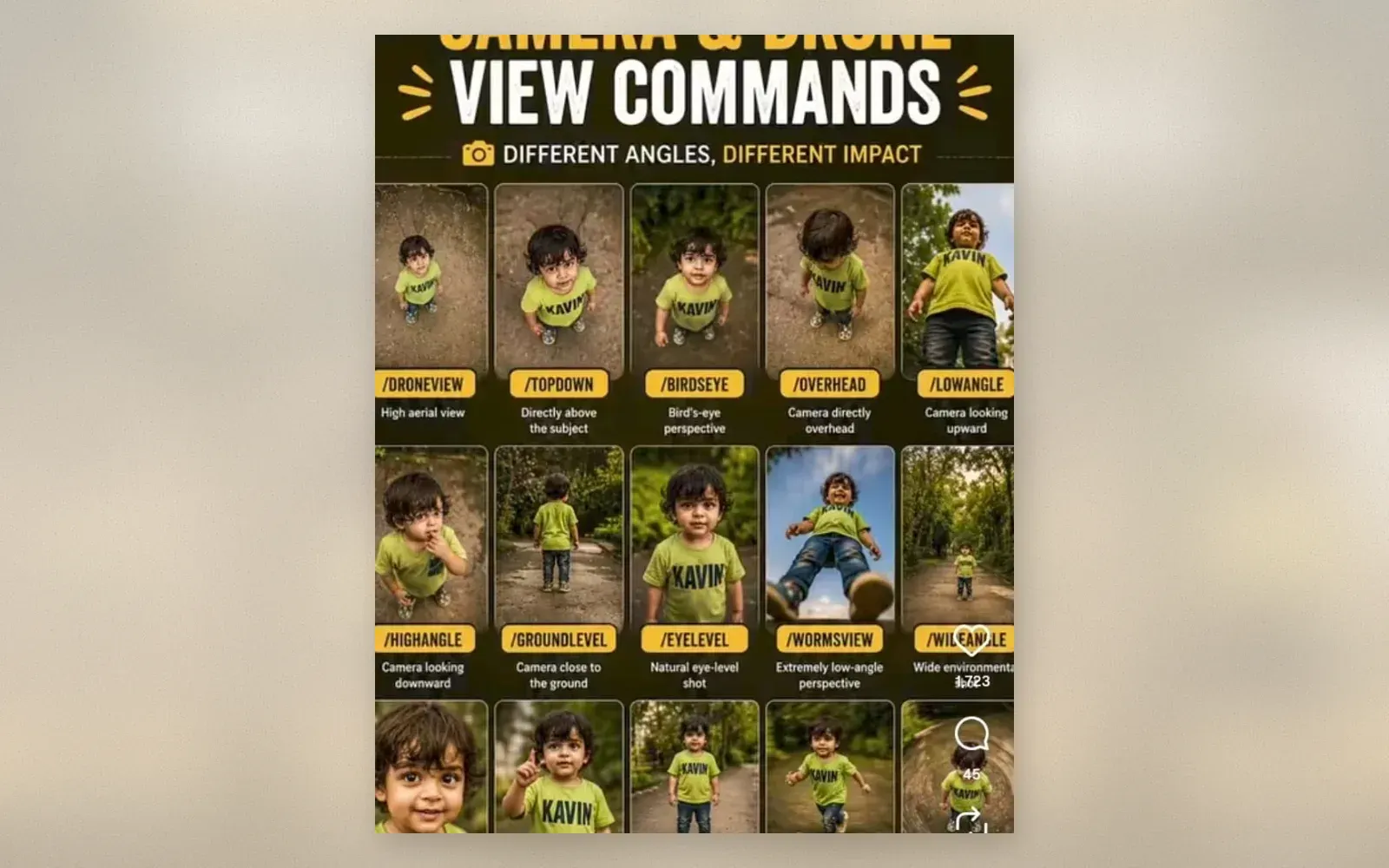
The camera and drone view commands cheat sheet that keeps circulating on Instagram does something simple: it photographs the same toddler from ten labeled positions and shows how much the feeling of a photo changes with camera height alone. The commands read like app shortcuts, and each one names a concrete spot in space. That makes the sheet useful twice over: paste a command into an AI photo prompt and the generator follows it, or treat the list as a shot plan for a real camera. For the aerial half of the list, the cheapest honest way to get those frames is the DJI Neo, a 135-gram drone that launches from your palm and shoots 4K video.
What do the ten view commands actually mean?
Each command names one camera position, and the differences between them come down to height, distance, and tilt. The sheet stacks them roughly from highest to lowest, which is also the order in which most photographers work through a location.
| Command | Camera position | What it does to the subject |
|---|---|---|
| /droneview | High aerial frame, subject small in a large scene | Shows the world around the subject, scale through landscape |
| /topdown | Camera directly above, flat vertical axis | Turns the scene into a graphic pattern, no horizon |
| /birdseye | High oblique view, tilted down from a distance | Aerial context but with depth, like looking from a hill |
| /overhead | Straight above, closer than topdown | Intimate flat lay of the subject and immediate surroundings |
| /highangle | Camera above eye level, tilted down | Subject looks smaller and softer, viewer holds the power |
| /eyelevel | Camera at the subject’s eye height | Neutral, honest, the default for portraits |
| /groundlevel | Camera resting at ground height | Foreground detail enters the frame, everyday objects grow |
| /lowangle | Camera below the subject, tilted up | Subject looks taller and more imposing, sky becomes backdrop |
| /wormsview | Extreme low angle from the ground looking straight up | Dramatic distortion, subject towers over the viewer |
| /wideangle | Wide focal length, environmental frame | Subject stays in context with the scene |
The first five live in the air, the middle ones at human height, the last three near the floor. That is the whole system.
How do you use view commands in AI photo prompts?
You append the command to the end of your image description, and the generator treats it as a camera instruction. Write a normal description of subject and scene, then add one command. “Toddler in a yellow raincoat on wet asphalt after rain, warm evening light, /lowangle” produces a very different picture from the same line ending in /topdown.
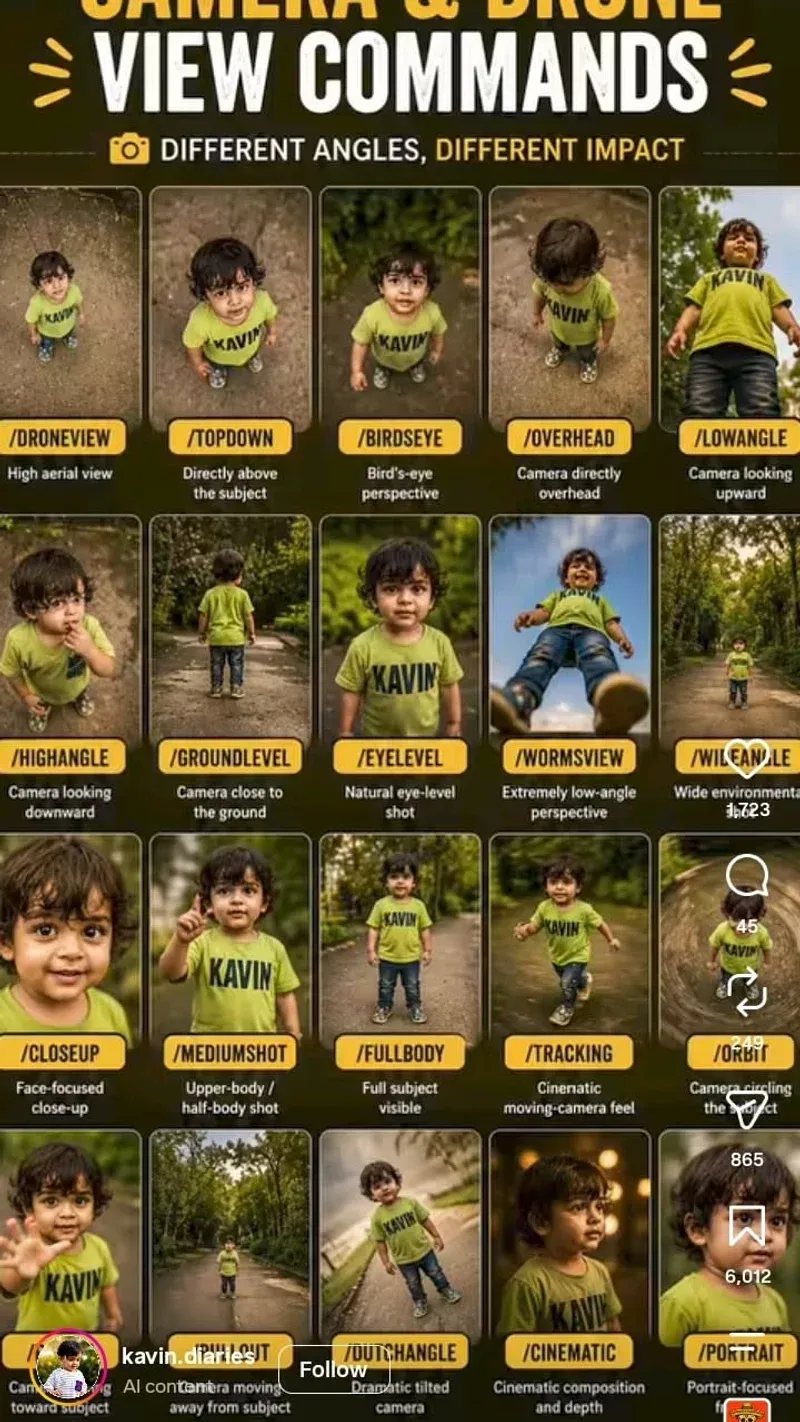
The Instagram posts around this sheet usually run one subject through all ten commands in sequence, the fastest way to learn what each word does. Expect drift: generators interpret /birdseye and /overhead loosely, so the same prompt comes back different on two runs. Three or four versions per command is normal practice.
Which of these angles can a real drone shoot?
Four of the ten are native drone territory: /droneview, /topdown, /birdseye, and /overhead. A sub-250-gram camera drone covers all of them, and the DJI Neo is the entry point because it needs no controller. You launch it from your palm, it tracks you automatically, and the QuickShots modes fly camera moves like a slow orbit or a pull-back reveal, essentially /droneview shot for you.
The numbers that matter: 135 grams, 4K UHD video, roughly 18 minutes of flight per battery, and a price that has settled around 135 euros. Plan on three or four batteries to work through the aerial commands properly. The /groundlevel and /wormsview shots stay on the ground, where the drone held low or a propped phone does the job.
When does a low angle beat a high angle?
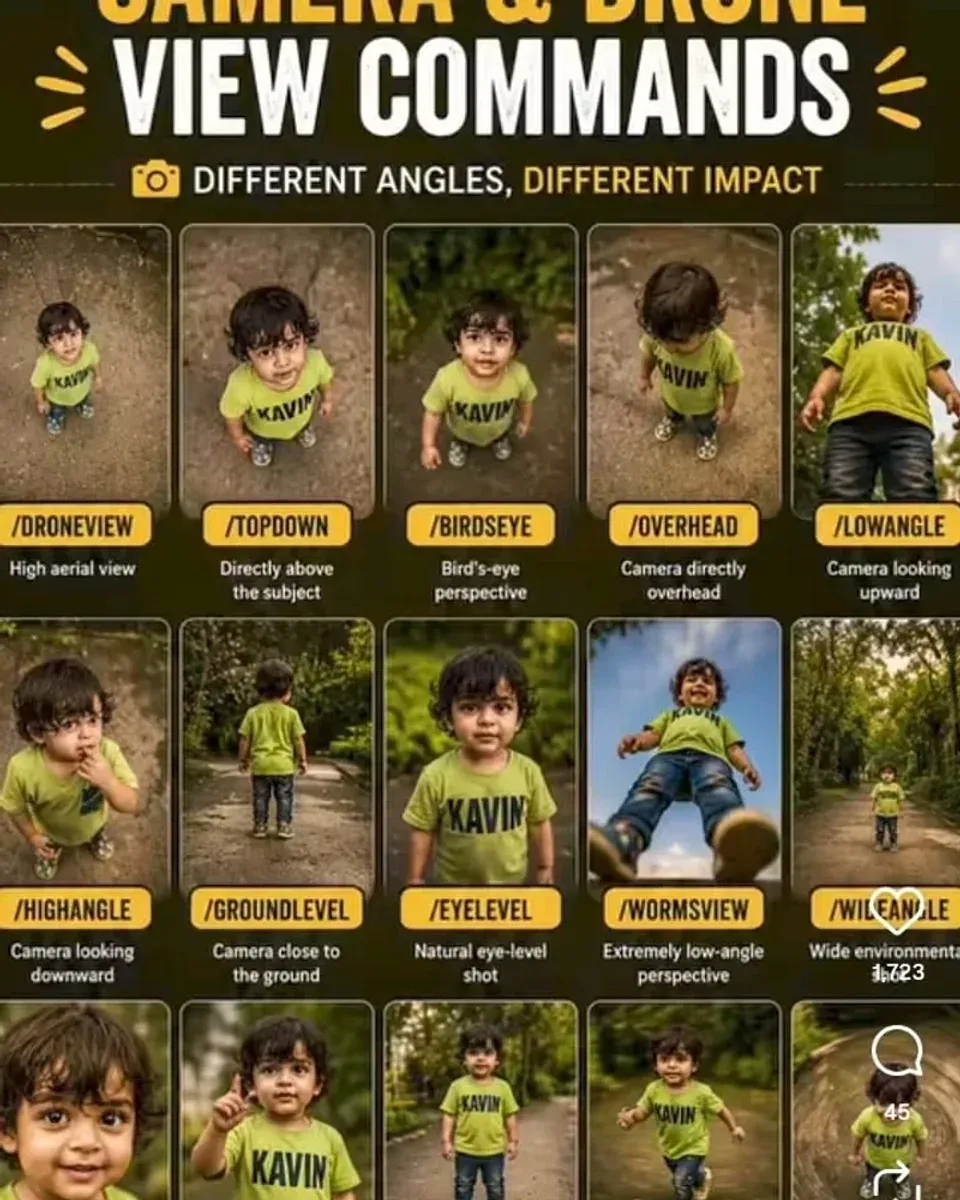
Low angles give the subject power and high angles take it away, and that single rule settles most decisions. Shooting a child from /groundlevel or /wormsview turns backyard play into an epic, because the camera looks up and the sky fills the frame behind them. The same child shot from /highangle looks small, protected, and cute, which is why parents default to it.
Eyelevel stays the honest default for faces. Every step the camera moves away from eye level buys drama at the cost of normalcy. The cheat sheet works because it makes that trade visible: ten positions, one subject, and you pick the feeling first and the command second.
Verdict
The view commands cheat sheet earns its spread because it turns a vague goal like “make the photo more interesting” into a list of ten named camera positions you can work through in one session. Use it as prompt seasoning for AI images or as a shot plan for a real afternoon, and add the DJI Neo for the four aerial commands with real footage.
✅ Pros
- Ten named positions replace guesswork with a concrete shot list
- Works in AI prompts and as a real-world shooting plan
- DJI Neo covers the four aerial commands for around 135 euros
❌ Cons
- The 18-minute battery means several charges for a full aerial session
- Generators interpret commands loosely, so results vary between runs
- /topdown and /overhead overlap enough that one of them is often enough
FAQ
What are camera and drone view commands?
They are short labels for specific camera positions, written in the style of app commands. Droneview means a wide aerial frame, topdown puts the camera straight above the subject, lowangle shoots from below, and eyelevel is the neutral position we see the world from.
Can the DJI Neo shoot all ten view commands?
It covers the four aerial ones natively. The Neo takes off from your palm, flies the droneview and topdown positions on its own, and its QuickShots modes automate circling and reveal moves. Ground level, eye level, and worm's eye shots you take with the drone held low or with a phone.
Do view commands work in AI photo generators?
Yes, and that is where the cheat sheet spread from. People append a command like /lowangle or /topdown to the end of an image description, and most current generators interpret it as a camera direction. Results drift between runs, so plan on generating a few versions of each frame.

Continue reading
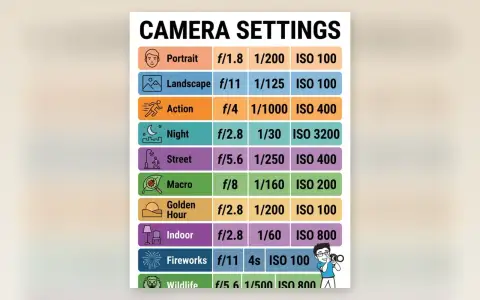
Camera Settings Cheat Sheet: 10 Scenes With Aperture, Shutter Speed, and ISO
Portrait, landscape, action, night: the ten setting combos from the widely shared camera cheat sheet, why each one works, and the camera to practice them on.
Canon 5D Mark III Video Rig: Every Piece in This Flat Lay Explained
A working Canon 5D Mark III video rig in one flat lay: Rode shotgun mic, battery grip, telephoto glass, speedlite, and the small parts that keep a shoot alive.
DJI Osmo Pocket 3 Mic Mini Bundle: The Lightest Full Vlogging Kit You Can Carry
The Osmo Pocket 3 with the DJI Mic Mini transmitter: a 10 gram mic with 11.5 hours of battery, 4K/120fps gimbal footage, and every accessory in one box.