Desk Clamp Power Strip with 65W USB-C: Charge Everything Under Your Desk
A clamp-on power strip with 65W USB-C fast charging that mounts under your desk. Here's what it actually delivers.
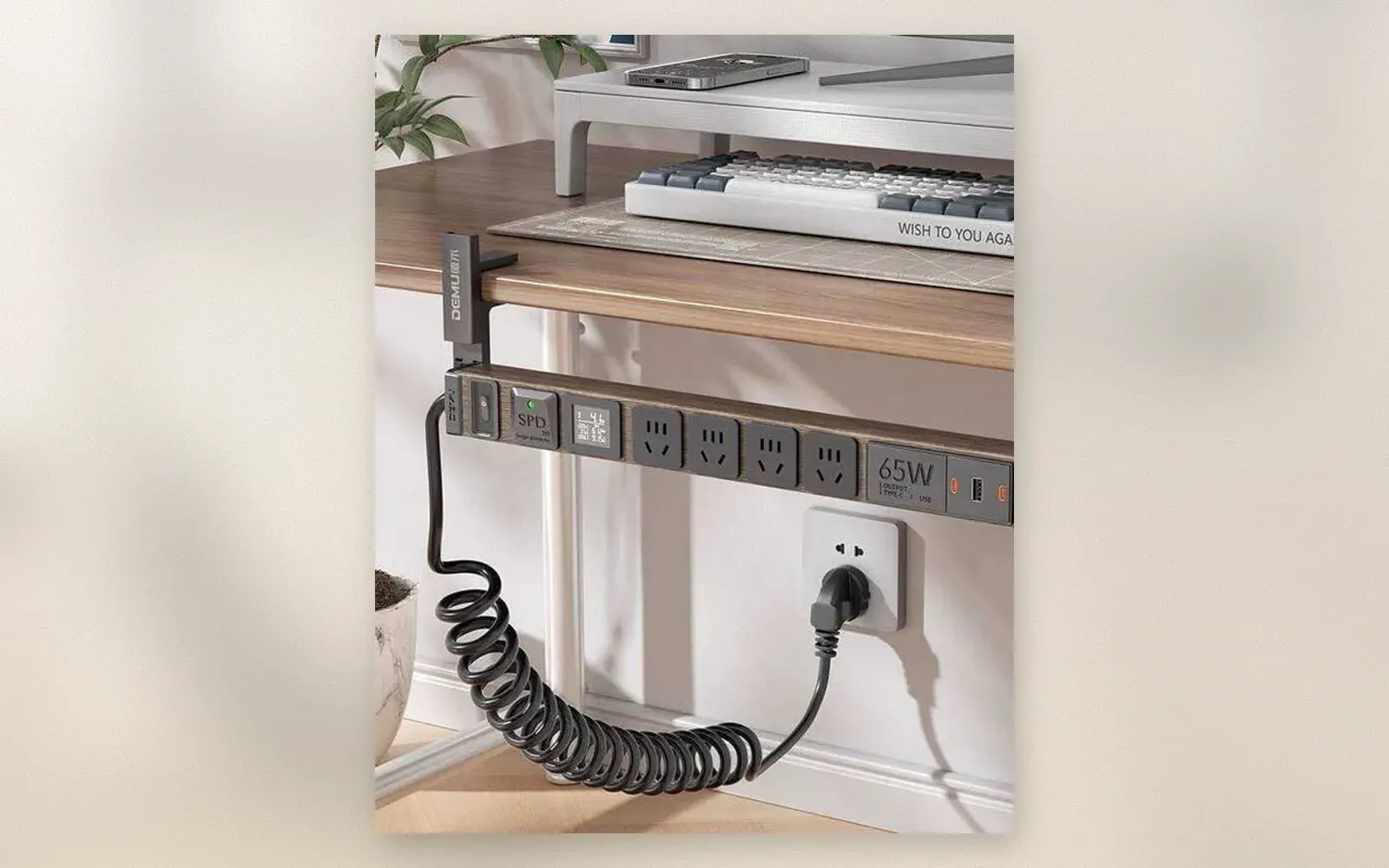
Cables everywhere, chargers fighting for outlet space, your laptop dying at 20% because you could not find a free port. A desk clamp power strip with 65W USB-C fast charging solves all of that by mounting directly under your desk edge.
The concept is simple: a power strip that clamps onto your desk without drilling, gives you multiple AC outlets and USB-C fast charging, and stays hidden underneath. You get a clean desk surface and enough power for your laptop, phone, and accessories.
🏷 Affiliate link: Browse desk clamp power strips with 65W USB-C on Amazon.de
What features matter most in a desk clamp power strip?
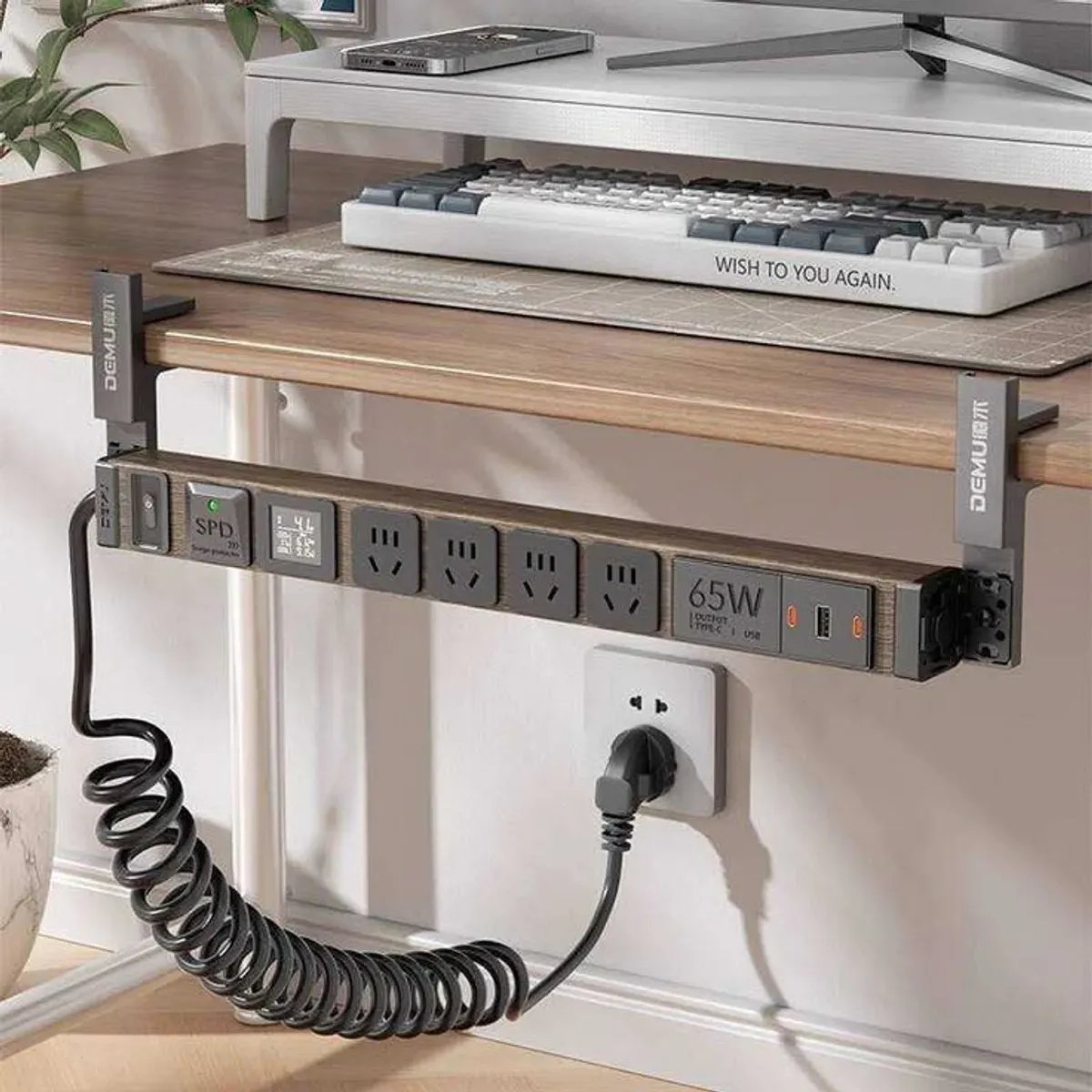
The key specs are the number of outlets, USB-C wattage, and mounting mechanism. Most desk clamp power strips offer 4 to 6 AC outlets and 2 to 4 USB ports, with at least one USB-C port supporting 65W Power Delivery.
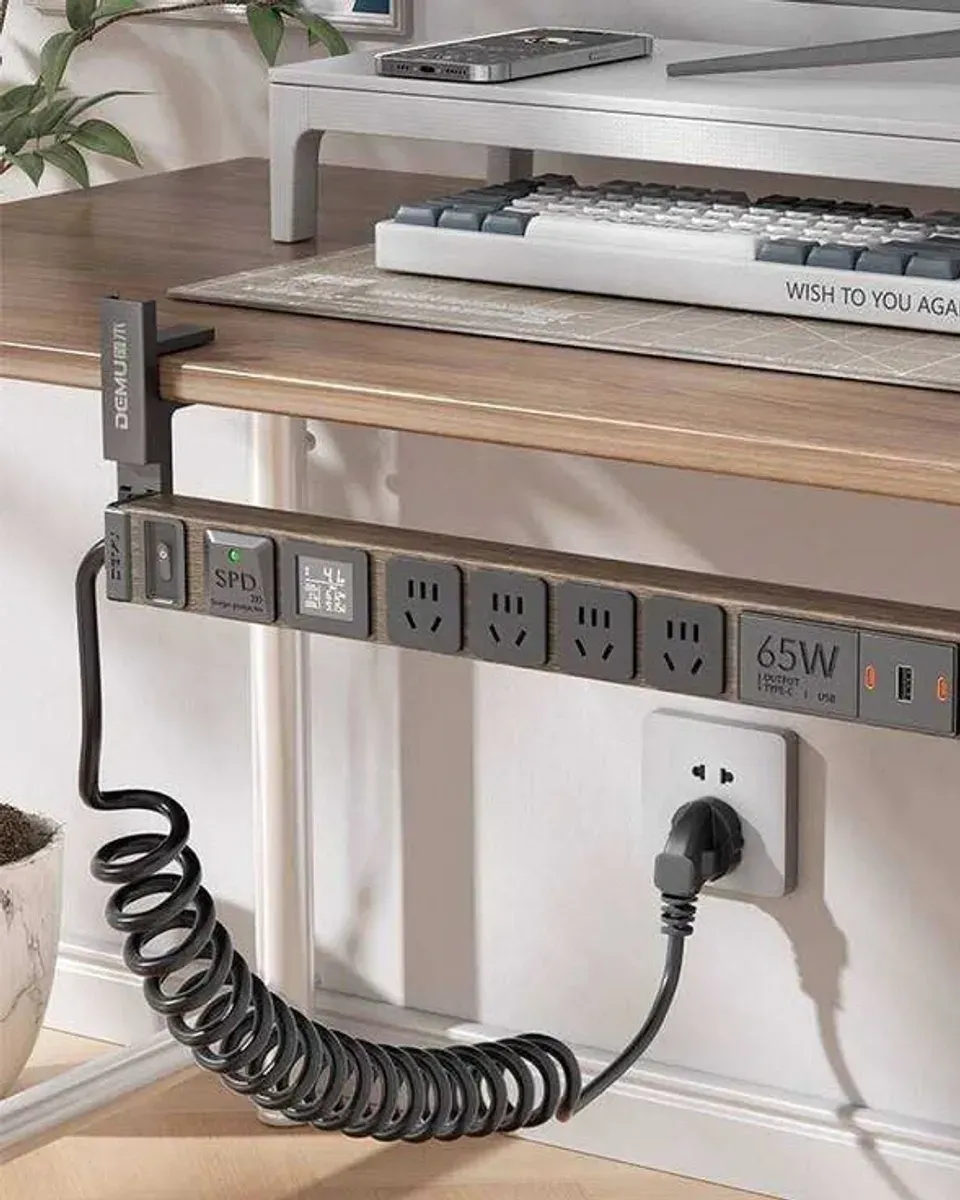
The 65W USB-C port is the headline feature. It charges most laptops (MacBook Air, Dell XPS, Lenovo ThinkPad) at full speed, so you do not need a separate laptop charger. The USB-A ports handle phones, tablets, and accessories at lower wattages.
A digital display showing real-time voltage and current is a nice touch. It lets you see how much power your devices are drawing, which helps you understand whether you are near the strip’s maximum capacity.
How does the clamp mounting work?
The clamp attaches to your desk edge using a screw mechanism, no drilling required. Most clamps fit desk thicknesses from 15mm to 50mm, which covers most standard desks. The clamp grips firmly and does not wobble once tightened.
The coiled (spring-style) power cable is a deliberate design choice. It stretches when you need to reach an outlet and retracts to stay tidy. The cable length varies by model, but 1.5 to 2 meters are typical when fully extended.
Installation takes about two minutes. Loosen the clamp, slide it onto your desk edge, tighten the screw, and plug it in. The strip hangs underneath, out of sight but within easy reach.
Is 65W enough for a laptop?
For most ultrabooks and thin-and-light laptops, 65W is sufficient. A MacBook Air M2 charges at 30W, so 65W gives you headroom. A Dell XPS 13 or Lenovo ThinkPad X1 Carbon typically needs 45W to 65W, so the strip handles them at full speed.
Gaming laptops and workstations need more power, often 100W to 240W. If you have a MacBook Pro 16-inch or a gaming laptop, you still need the original charger for peak performance. The 65W port works for charging at reduced speed, but it will not keep up with heavy workloads.
For a typical home office setup with a laptop, phone, tablet, and a desk lamp, 65W covers everything. You can charge a laptop and a phone simultaneously without slowing down either one.
What are the limitations?
The main limitation is the total power capacity. Most desk clamp power strips are rated for 1,875W to 2,500W across all outlets, which is plenty for typical office equipment. But if you plug in a space heater or a powerful workstation, you could exceed the limit.
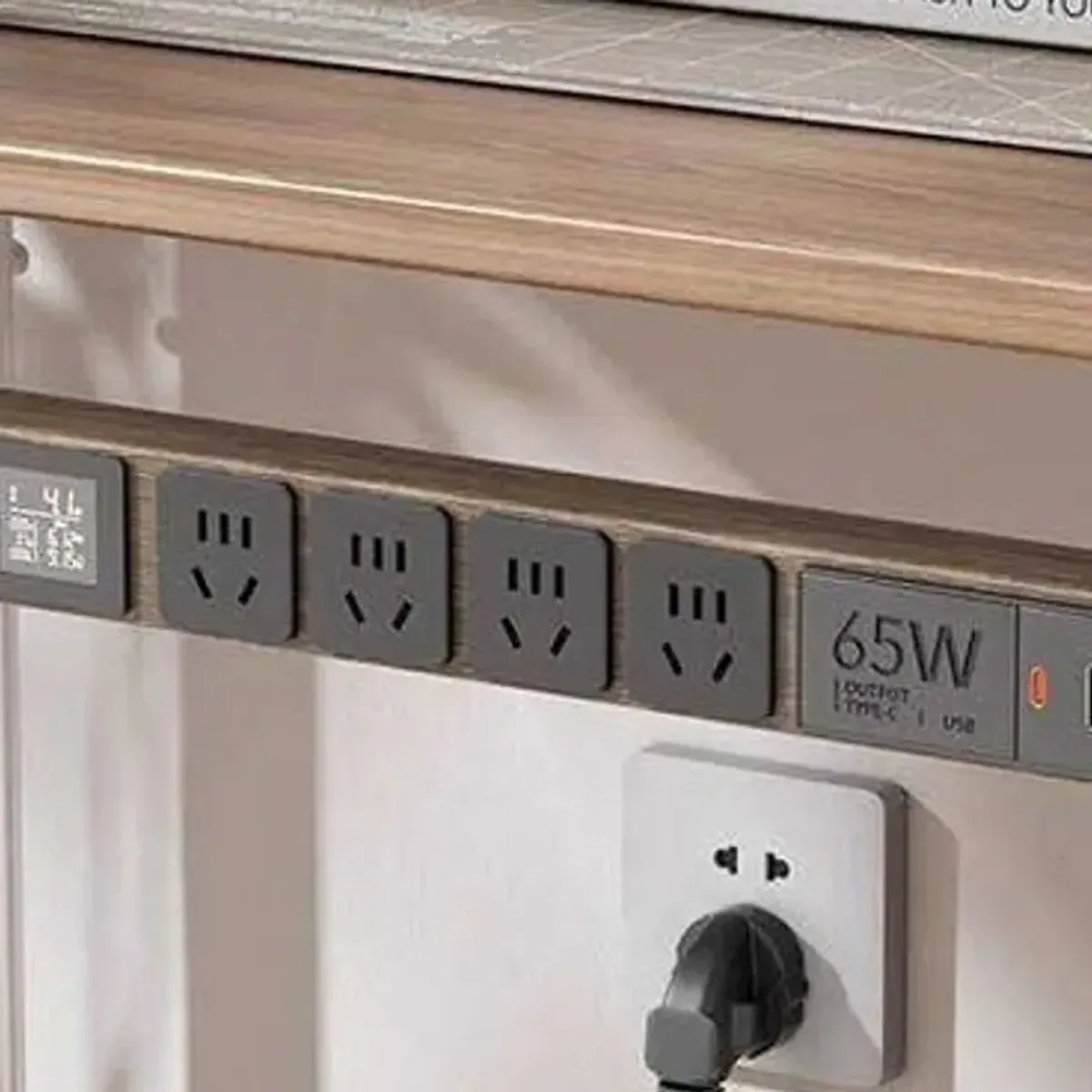
The USB-C port shares power with USB-A ports when multiple devices are connected. A single device gets the full 65W, but two devices might split it, reducing charging speed. Check the power distribution chart in the product specifications to understand how wattage is shared.
Cable management is still your responsibility. The strip hides under the desk, but the cables running to your devices are visible unless you route them carefully. Some users add cable clips or a cable tray underneath to keep things organized.
Is it worth buying?
At around EUR 25 to 40, a desk clamp power strip with 65W USB-C is a practical upgrade for any home office. It eliminates the need for separate laptop chargers, reduces cable clutter, and keeps your desk surface clean.
If your desk has limited outlet access or you want a cleaner setup, this is one of the cheapest improvements you can make. The clamp mounting means you can take it with you when you move desks or offices.
The main value is convenience: one strip handles all your charging needs, and it stays hidden under the desk. For anyone who works from home and charges multiple devices daily, the time saved from not hunting for outlets adds up.
🏷 Looking for alternatives? Browse more desk clamp power strips on Amazon.de
Verdict
A desk clamp power strip with 65W USB-C fast charging is a straightforward solution to a common problem: too many devices, not enough outlets, and cables everywhere. The clamp mounting keeps it hidden, the 65W USB-C charges most laptops, and the multiple outlets handle everything else.
If your desk setup could use less clutter and more charging options, this is a practical investment that pays for itself in convenience.
🏷 Ready to buy? Get a desk clamp power strip on Amazon.de
Pros:
- 65W USB-C charges most laptops at full speed
- Clamp mounting requires no drilling
- Digital display shows real-time power usage
- Multiple AC outlets and USB ports for all devices
- Coiled cable stays tidy when not stretched
Cons:
- USB-C power is shared when multiple devices are connected
- Not enough wattage for gaming laptops or workstations
- Cable management underneath is still your job
- Clamp may not fit very thick desks (over 50mm)

Continue reading
AODUKE Mac Mini M4 VESA Bracket: Turn Your Mini Into a Clean All-in-One Setup
The AODUKE VESA bracket hides your Mac mini behind the monitor for a clutter-free desk. Here's what it actually delivers.

3D Printer Workstation with Filament Storage Review: Workshop Cart That Holds Everything
3D printer workstation review: mobile cart with filament storage, dry boxes, and locking casters. Does it organize a maker space or just collect dust?

Retro Typewriter Keyboard with Tablet Stand Review: Vintage Looks, Modern Keys
Retro typewriter keyboard with tablet stand review: round keys, wood finish, Bluetooth. Does it type well or just look good on the desk?